

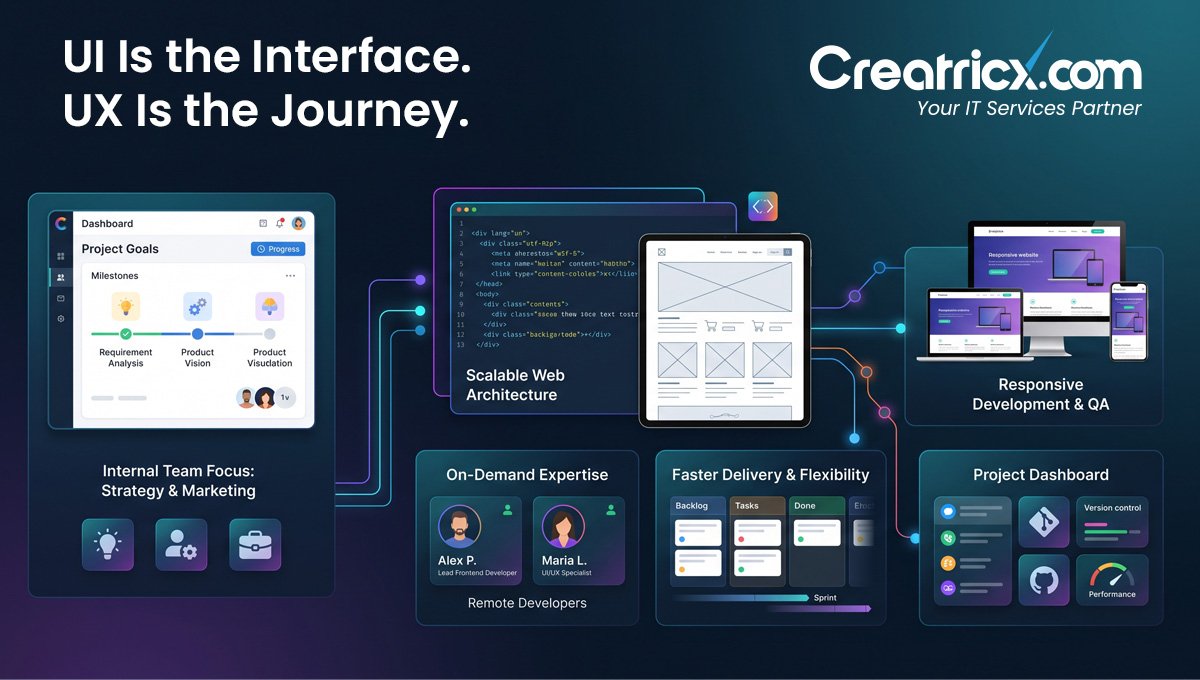
UI/UX design is the purposeful design of the visual, sensory and functional elements of a website, application or digital product for users. The difference between the two is that User Interface deals with displays, buttons, colors and layouts whilst User Experience deals with the user paths, functionality, transparency and enabling smooth completion of tasks.
Key Takeaways
- UI/UX design makes websites, applications and digital things simpler to understand, use and trust.
- UI design is everything about the visual interface – screens, buttons, colors, space, typography, icons and interactive components.
- UX design is concerned with the whole user journey: how users access information, how they travel across sites, how they perform activities, how they don't get lost.
- Good UI/UX design increases engagement, reduces friction, helps conversions, and makes people more inclined to come back.
- Businesses need UI/UX design before building, redesigning, or scaling a website, mobile app, SaaS product, dashboard, or e-commerce platform.
- UI and UX work best together because a product should look professional and also make sense to the people using it. Revolutionary idea, apparently.
Table of Contents
What Is UI Design?
UI design means user interface design. It is about the visual and interactive features of a digital product, such as screens, buttons, menus, forms, icons, colors, typography, spacing and layout.
The UI designer selects how each screen looks and how the user interacts with it. The aim is not to be “modern” in the nebulous sense that many design briefs are before it becomes a rectangle festival, but to create the interface that is clear, consistent and simple to use.
Good UI design helps users know where they are, what they can do next, and what actions are most important. Strong UI thinking leads to things like: a clear checkout button, understandable language, simple form fields and consistent navigation.
UI design, simply said, is creating the visible layer of a website, app, dashboard or digital platform, so consumers can interact with it with confidence.
What Is User Experience Design?
UX design = user experience design. It’s about understanding how customers navigate across a website, app or digital product from the time they get there until they do something.
A UX designer thinks about what customers need, where they could be confused and how the product can guide them through more simply. This may include user research, journey mapping, wireframes, content organization, navigation planning, usability testing, and task flow improvement.
For example, if users keep leaving a form halfway through, UX design looks at why. Maybe the form is too long, the steps are unclear, the button is hidden, or the page asks for too much information too soon because apparently every website wants your life story before offering a quote.
Good UX design removes friction. It helps users find information, compare options, complete purchases, submit enquiries, book calls, or use product features without feeling lost.
In short, UX design shapes the overall experience so a digital product is not only usable, but useful.
UI versus UX: What's the Difference?
UI and UX are very much intertwined yet they are not the same. UI design is all about what people see and what they interact with. UX design is about the full experience, from start to end.
A simple way to understand it: UI is the interface. UX is the journey. A product can look beautiful but still be difficult to use, which is how humans somehow invented attractive frustration.
| Area | UI Design | UX Design |
|---|---|---|
| Main focus | Visual interface and interactive elements | Overall user journey and usability |
| Purpose | Make screens clear, attractive, and consistent | Help users complete tasks with less friction |
| Common tasks | Layouts, buttons, colours, icons, typography, spacing | Research, wireframes, user flows, journey maps, usability testing |
| Output | Polished screen designs and interface components | Clear structure, task flows, prototypes, and experience improvements |
| Business impact | Builds trust and improves visual clarity | Reduces confusion and supports better conversions |
The best digital products need both. UI makes the product look professional and easy to interact with, while UX makes sure users can actually understand what to do next.
Why UI/UX Design Matters for Websites and Apps
UI/UX design matters because users decide very quickly whether a website or app feels clear, trustworthy, and worth their time. If the experience is confusing, slow, cluttered, or difficult to complete, people usually leave instead of patiently solving the puzzle. Shocking behaviour from humans, wanting things to work.
Good UI/UX design helps improve:
First impressions
A clean, professional interface makes the product feel more credible from the first visit.
Navigation
Clear menus, page structure, and user paths help people find what they need faster.
User confidence
Consistent layouts, readable content, and obvious actions make users feel more comfortable moving forward.
Mobile usability
Responsive screens and touch-friendly elements make the experience easier on phones and tablets.
Conversions
Better forms, clearer CTAs, smoother checkout flows, and simpler enquiry paths can help more users take action.
Retention
When an app or platform feels easy to use, people are more likely to come back instead of looking for an easier alternative.
For businesses, UI is about making the product seem professional and simple to use, while UX is about making sure people really understand what to do next.
The Importance of UI/UX Design for Websites and Apps
UI/UX design is important because people determine very quickly whether a website or app feels clear, trustworthy and worth their time. If the experience is complicated, sluggish, cluttered, or tough to finish, customers frequently leave rather than patiently work their way through the challenge. Humans shocking conduct , wanting things to function .
Good UI/UX design helps to improve:
First Impressions
The product seems more legitimate from the first visit because of a clean, professional interface.
Navigation
Simple menus, page organization and user pathways help users discover what they need quickly.
User Confidence Consistent design, clear material, and apparent actions give users the confidence to go ahead.
Mobile usability
Responsive displays and touch-friendly components make it simpler to use on phones and tablets.
Conversions
Better forms, clearer CTAs, quicker checkout processes and easier inquiry channels may encourage more visitors to take action.
Retention
If an app or platform is simple to use, consumers are more likely to stick with it, rather than seeking for something easier.
UI/UX Design is not simply for corporations to make a product appear good. It helps eliminate the friction between what people desire and what the company wants them to do.
Top 10 Services of UI UX Design
We can provide UI/UX design services at all phases of a product from early planning to final screen design. The task will be varied depending on whether the organization wants a new website, mobile app, dashboard, SaaS product or eCommerce platform.
A few of the typical UI/UX design services are:
UI/UX Service 1
UX research is the process of learning what people desire, what frustrates them, how they behave, what they expect, before making design choices.
UI/UX Service 2
Mapping the steps a user takes from their initial visit to their final action, such as completing a form, making a call or purchasing something.
UI/UX Service 3
Wireframes are basic blueprints for pages or screens done before colors, graphics, and other visuals are incorporated.
UI/UX Service 4
Prototyping is building clickable design flows. This allows teams to visualize how the product will operate, before it’s constructed.
UI/UX Service 5
Creation of website pages that are easy, flexible, and aligned to the brand, and point people to critical tasks.
UI/UX Service 6
Designing the UI of a mobile app is the process of designing the screens, menus, buttons, forms, and processes that function effectively on smaller devices.
UI/UX Service 7
Dashboard and SaaS UI design is the art of designing elegant user interfaces for complex data, tools, admin panels, customer websites, and software platforms.
E-commerce UX design
Improving product pages, filters, carts, checkout processes and purchasing journeys so that consumers don’t abandon the process halfway through as if they’ve stumbled into a trap.
UI/UX Service 9
Usability testing examines how actual people use the design and discovers flaws before it goes online.
UI/UX Service 10
UI redesign is when you improve an interface when it seems outdated, hard to grasp, inconsistent, or confusing.
Before a lot of time and money is spent on development, these 10 UI/UX services help businesses make digital goods that are better structured, easier to use, and more likely to convert.
When is UI/UX Design Necessary for a Company?
When people have trouble navigating, understanding, or completing tasks on a company's digital platform, such as a website or app, UI/UX design is necessary. "It looks fine to us" typically becomes a very costly sentence at that point.
At times, you can require user interface and experience design services for:
UI/UX Need 1
Prior to beginning production on a new website or app, user experience planning is essential for defining its structure, user flows, and screen layout.
You seem to be using an out-of-date design
Visual trust, readability, navigation, and user experience can all be enhanced with a makeover.
UI/UX Need 3
If people aren't filling out forms, scheduling calls, joining up, or making purchases, the user experience might need some tweaks.
There is a problem with your forms or the checkout process
Having too many steps, long forms, ambiguous labels, or buried buttons can all lead to friction.
The same questions keep popping up in customer inquiries
Improving the page structure or content flow might be necessary if consumers are unable to locate important information.
UI/UX Need 6
You need a user-friendly interface (UX) designer if your product is going to keep up with the increasing complexity of SaaS platforms, dashboards, portals, and apps.
UI/UX Need 7
What you don’t have on a mobile device It’s very vital to have clear, well-spaced text, simple navigation and touch-friendly features on the smaller displays.
We are expanding into new markets or demographics
Better UI/UX makes the product clear for all consumers, no matter what language they speak, what device they are on or where they are in the purchase process.
User interface and user experience design should ideally be done before development starts, but may sometimes be beneficial when a current product is not performing as planned.
How UI/UX Designers Work With Developers
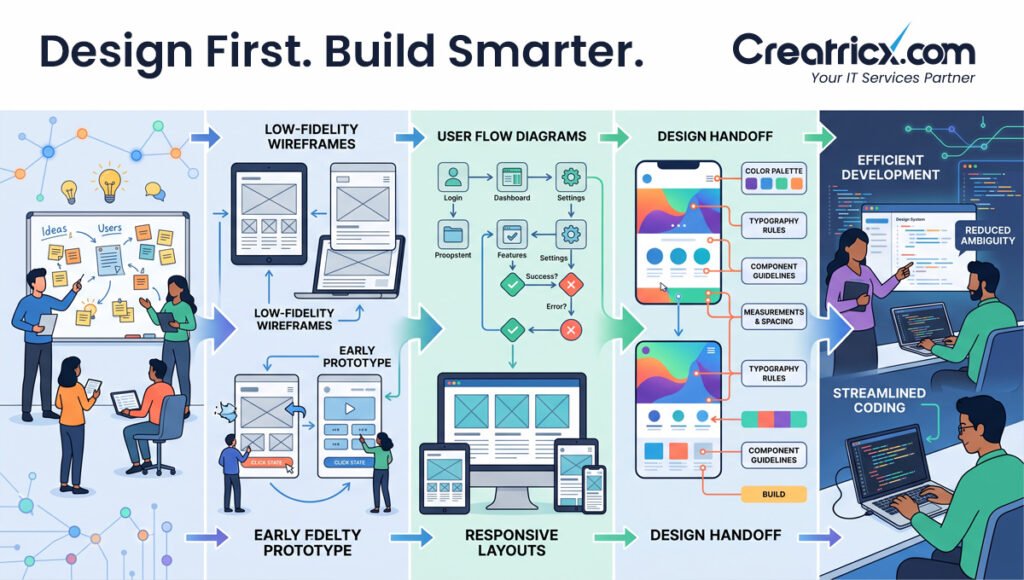
UI/UX designers and developers often work together before the launch of a website, app or platform. The designer designs the structure, user flow and interface. The developer takes the accepted design and transforms it into a functional product.
A good design handoff helps developers understand:
- Which screens need to be built
- How users should move from one step to the next
- What each button, form, menu, and interaction should do
- How the design should behave on mobile, tablet, and desktop
- Which colours, fonts, spacing, icons, and components should stay consistent
- What happens when users make errors, submit forms, or complete actions
This matters because unclear design files can lead to confused development, missed details, broken flows, and extra revision rounds. Tiny miracle, apparently developers can’t build what nobody has explained properly.
When UI/UX designers prepare wireframes, prototypes, design systems, and clear notes, developers can build faster and with fewer mistakes. The end result is a cleaner implementation, a smoother process, and a digital product that conforms to the original user experience concept.
Design Before You Build
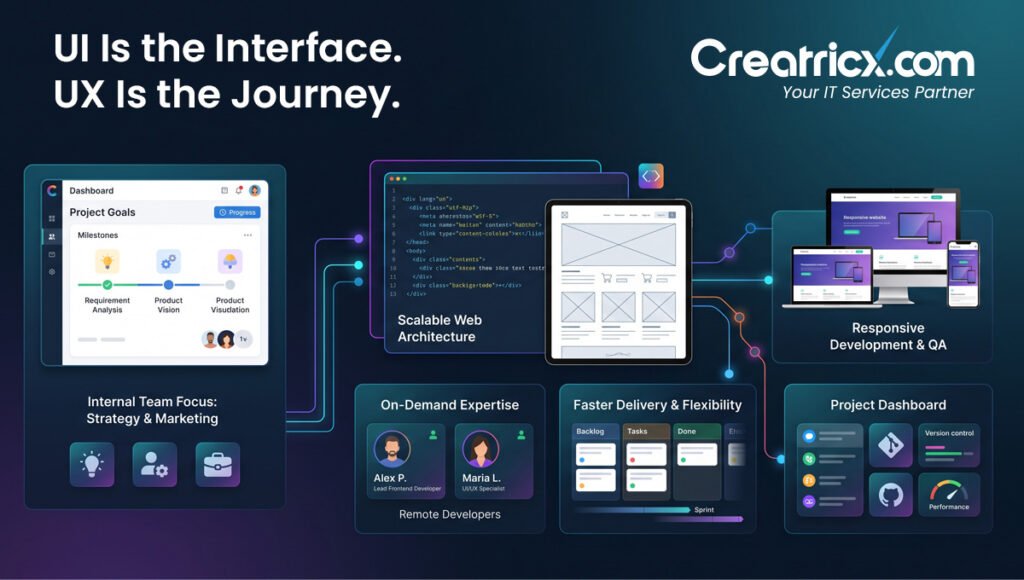
Without a defined UI/UX design, the development process typically leads to revisions, delays, and features that don’t meet what consumers truly need. A good design phase helps to outline the structure, displays, user flows and important activities before the developers start creating.
Creatricx helps businesses plan and design websites, apps, dashboards, and digital platforms with clear UI/UX direction, then supports development when it’s time to turn the approved design into a working product. Less guesswork, fewer messy revisions, and fewer “why doesn’t this button do anything?” moments.
What Makes Good UI/UX Design?
Good UI/UX design feels clear before users even think about it. They land on a page, understand what it offers, know where to go next, and can complete the action without fighting the interface like it owes them money.
At its core, strong UI/UX design answers three questions:
Can users understand it quickly?
A good design makes the primary message, the goal of the site and the next action evident. Headings, buttons, menus and content blocks should lead visitors naturally rather than forcing them to guess what is important.
Can users use it easily?
Every critical step should be frictionless, whether it’s someone filling out a form, arranging a call, purchasing a product, comparing features or utilizing a dashboard. If users need instructions for a simple action, the design probably needs work.
Can users trust it?
Professional visuals, consistent layouts, readable content, accessible colours, clear feedback messages, and mobile-friendly screens all help build confidence. Trust isn’t created by one pretty screen. It comes from every part of the experience feeling reliable.
Good UI/UX design doesn’t overload users with choices, animations, or decorative clutter. It creates a clear path from user need to business goal, with as little friction as possible.
User Interface and User Experience Design Frequently Asked Questions
Why is UI/UX design important?
Good UI/UX design is an appealing and easy-to-understand user interface and experience. User interface design relates to the visible elements of a website, app or platform, whereas user experience design relates to the whole user trip.
How does user interface compare to user experience?
No, user interface design and user experience design are not the same thing. User interface design is concerned with the visual design and the interaction components. User experience design is design for usability, organization and simplicity of execution of actions by users.
What is the role of a user interface and user experience designer?
A UI/UX designer will create apps or dashboards or digital platforms or websites user-friendly by planning user flows, generating wireframes, designing displays, building prototypes, upgrading the layout, evaluating usability problems, etc.
What makes UI/UX so crucial?
A bad user interface or experience (UI/UX) will make users drop a product rapidly. Good design builds trust, reduces friction, and guides the user to do things like ask a question, register, book, or purchase.
Can we skip the UI/UX design altogether for websites?
Company website UI/UX design is very important for describing services, enabling user journeys, attracting new consumers, or making purchases. Proper structure, navigation and clarity of action are so important that even the most beautiful website may fall short of user expectations.
Do just mobile apps require UI/UX?
Web applications, dashboards, portals, e-commerce storefronts, booking platforms, UI/UX design, mobile apps, software as a service, and internal business tools are all part of user interface and user experience design.
Web design and user interface and experience design are different.
A website's visual style and structure are the primary concerns of web designers. When designing a user interface or user experience, it's important to consider the user's journey, the activities they perform, the points of friction, and how to improve usability and conversions.
After what point in time does a project need UI/UX design?
It is recommended that UI/UX design takes place prior to development. Teams may avoid squandering time on features that will need to be revised by defining the structure, displays, user flows, and important interactions early on. People have attempted to "fix it later." Typically, it charges by the hour.
Final Thoughts
UI/UX design is the planning and design work that makes digital products easier to understand, easier to use, and more effective for business goals. UI shapes the interface users see. UX shapes the journey users follow.
For websites, apps, dashboards, and digital platforms, this matters because users don’t reward confusing experiences with patience. They leave, compare alternatives, or abandon the action. Quietly, brutally, and without filling out your feedback form.
A strong UI/UX process helps businesses create clearer pages, smoother flows, better mobile experiences, and more useful digital products before development begins. It takes out the guess work and puts the project on a better footing.
Creatricx is a professional UI/UX design company that helps organizations design, develop and optimize websites, applications, SaaS platforms, dashboards and e-commerce experiences.