
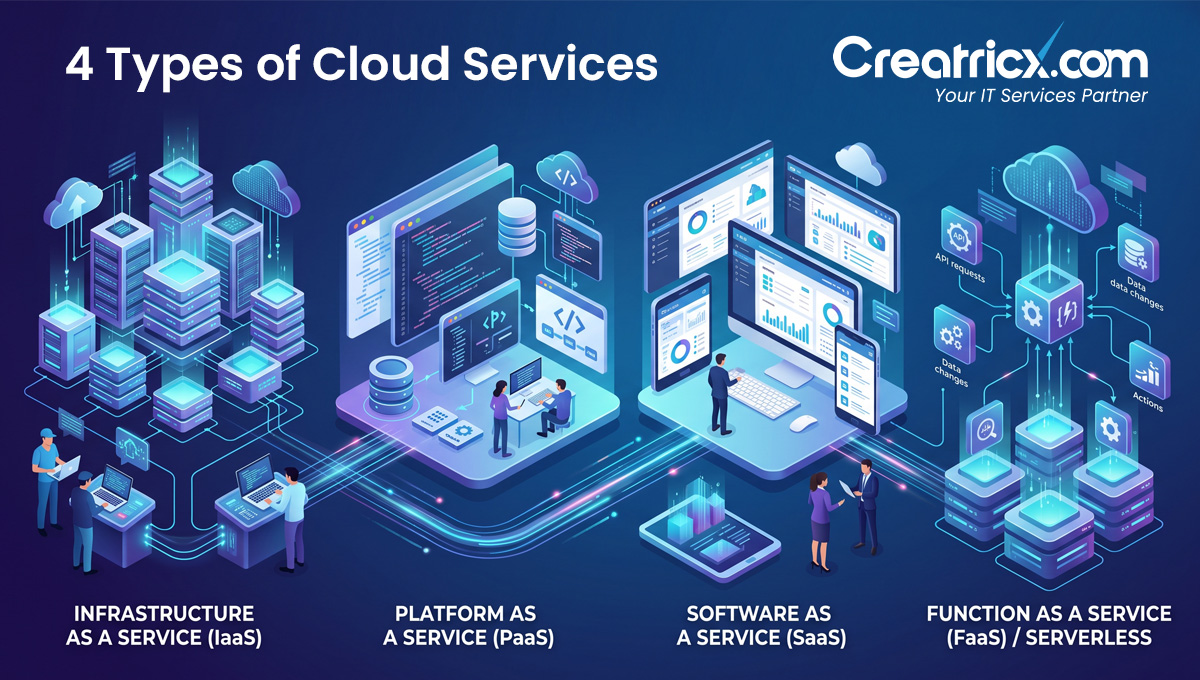
The 4 types of cloud services are Infrastructure as a Service (IaaS), Platform as a Service (PaaS), Software as a Service (SaaS), and Function as a Service (FaaS, also called serverless). Each hands off a different amount of the technical work to the provider, and most businesses end up using several at once, not just one.
Key Takeaways
- IaaS gives you raw computing resources, servers, storage, networking, while you manage everything built on top, including the operating system
- PaaS hands you a ready-made platform for building applications, so your team writes code without touching servers or infrastructure configuration
- SaaS is finished software you log into and use, with the provider handling everything behind the scenes, from Google Workspace to Salesforce
- FaaS runs small pieces of code only when triggered by a specific event, and you're billed for actual execution time rather than a server sitting idle
- The average organisation now runs around 305 separate SaaS applications, and large enterprises manage closer to 700, which is why "which cloud service do we need" is really a portfolio question, not a single choice
Why This Isn't Really A Four-way Choice
Most explanations of cloud service types present them as 4 competing options, pick 1 and move on. That's not how it plays out in practice.
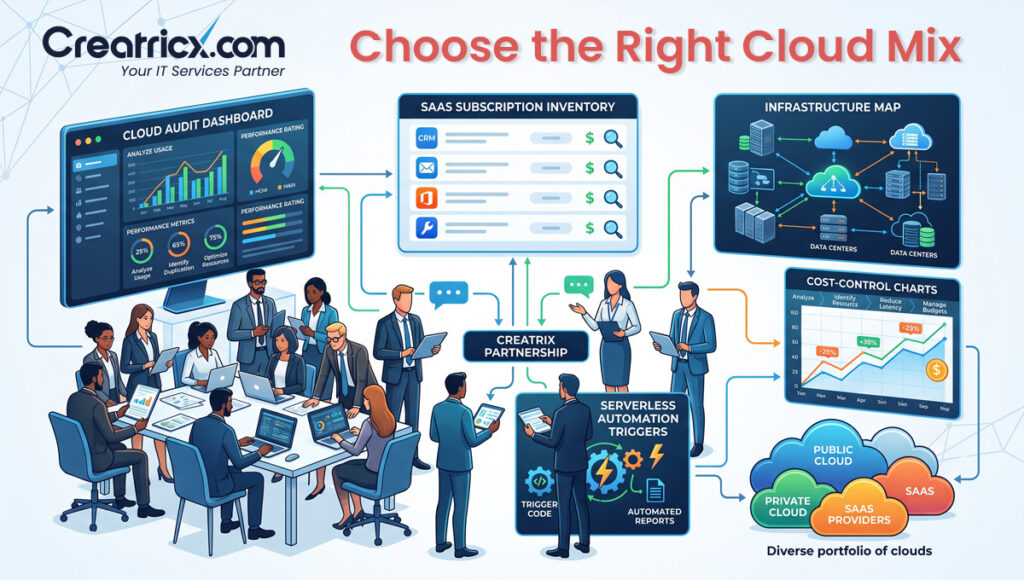
A single mid-sized company might run its core database on IaaS, build a customer app on a PaaS platform, run its CRM and email through SaaS tools, and trigger a handful of automated background tasks through FaaS, all at the same time, for different parts of the business.
The useful question isn't "which type of cloud service should we use," it's "which type fits this specific piece of work," and the answer changes depending on what you're actually building.
A simple way to keep these straight: IaaS is renting an empty plot of land, you still build everything on it. PaaS is renting a furnished workshop, the tools are there, you bring the project. SaaS is buying a finished product off the shelf. FaaS is paying someone by the task, only when there's actually a task to do.
Infrastructure As A Service: Maximum Control, Maximum Responsibility
IaaS gives you the basic building blocks, virtual servers, storage, and networking, without dictating what you build with them. You choose the operating system, install your own software stack, and patch and secure it yourself. This suits businesses with specific technical requirements: a particular compliance need, custom performance tuning, or software that simply doesn't run well on someone else's managed platform.
The trade-off is that your team takes on real operational work, and a business that picks IaaS by default, without actually needing that level of control, often ends up quietly rebuilding a lot of what a managed platform would have handled automatically.
Platform As A Service: Where Most Development Teams Actually Want To Live
PaaS takes the operating system and server management off your plate entirely. Your team writes application code, and the platform handles deployment, scaling, and the underlying infrastructure, this is usually the right fit for a team that wants to build and ship products quickly without hiring dedicated infrastructure specialists.
The catch is worth knowing upfront: PaaS platforms vary significantly in how easily you can move away from them later, so it's worth asking a provider directly how portable your application would be if you ever needed to switch.
A pattern worth watching for: teams that default to IaaS because it "feels safer" or more familiar, then spend months building the exact scaffolding a PaaS platform would have provided immediately. If nobody on the team has a specific reason to need that low-level control, the extra responsibility usually isn't buying you anything.
Software As A Service: The Model Most People Use Without Realising It
SaaS is the cloud service type most people interact with daily without thinking of it as "cloud" at all: email, CRM software, project management tools, accounting platforms. You log in, use the software, and the provider handles hosting, security, and updates entirely.
The convenience is real, but so is a genuine problem it creates at scale: SaaS sprawl. Because SaaS tools are so easy for any team to sign up for independently, the average organisation now runs around 305 separate SaaS applications, and large enterprises manage closer to 700, often without IT ever having full visibility into what's actually in use, who has access, or what data lives where.
More than half of businesses report spending more than they intended on cloud services overall, and SaaS sprawl is a common contributor. An annual audit of which SaaS tools are actually being used, by whom, is a small task that regularly uncovers meaningful, recoverable cost.
Function As A Service: Paying Only When Something Actually Happens
FaaS, often called serverless computing, is the newest and most abstracted of the four models. Instead of running a server continuously, you deploy small functions that execute only when triggered, a file upload, a scheduled job, an API call, and you pay only for the compute time the function actually uses. FaaS suits event-driven, intermittent workloads particularly well: image processing after an upload, sending a notification, running a scheduled report.
It's a poor fit for anything that needs to run continuously, since you'd simply be triggering the function constantly, which erases the cost advantage entirely.
Comparing The Four Models At A Glance
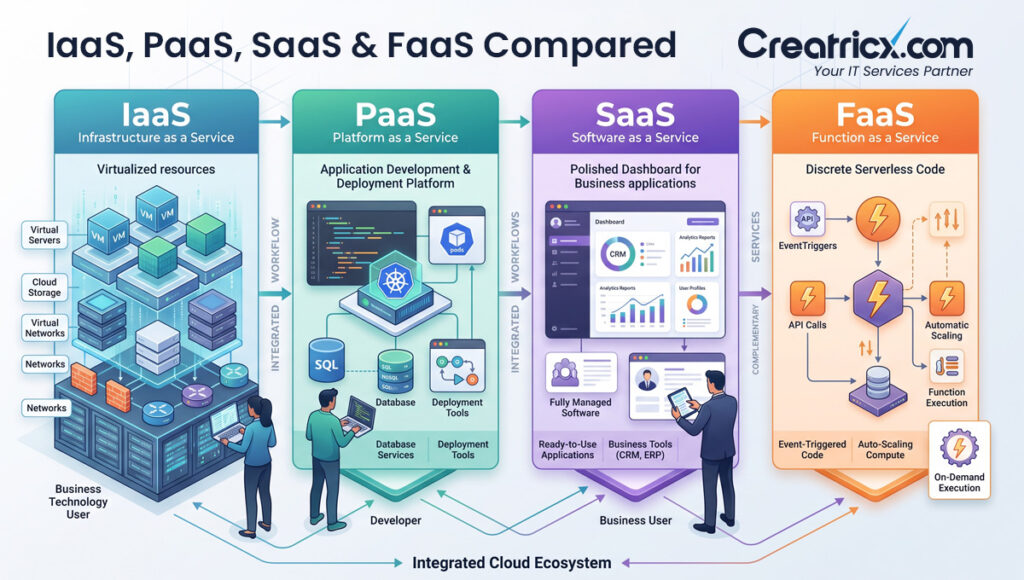
| Model | What You Manage | What the Provider Manages | Best Fit |
| IaaS | OS, runtime, applications, data | Physical hardware, virtualisation, networking | Specific compliance, performance, or custom infrastructure needs |
| PaaS | Application code and data | OS, runtime, servers, scaling | Development teams building and shipping applications quickly |
| SaaS | Your data and user access | Everything else, including the application itself | Business functions you don't need to build yourself |
| FaaS | Individual functions and their triggers | Servers, scaling, and execution environment entirely | Event-driven, intermittent tasks rather than constant workloads |
A Practical Way To Decide What Your Business Actually Needs
Step 1: List What You're Actually Trying to Do
Separate your cloud needs into categories: core infrastructure, custom application development, off-the-shelf business functions, and small automated tasks. Most businesses have all four categories, just in different proportions.
Step 2: Match Each Category to a Model, Not the Whole Business to One
Resist picking a single cloud model for the entire company. Infrastructure needs suit IaaS, custom development suits PaaS, standard business functions suit SaaS, and small triggered tasks suit FaaS.
Step 3: Audit What's Already Running
Before adding anything new, check what cloud services are already in use across the business, particularly SaaS tools signed up for independently by individual teams, since this is where sprawl and unnecessary spend usually hide.
Step 4: Revisit the Mix Annually
Cloud needs shift as a business grows. What made sense on IaaS at ten employees may be a poor fit at two hundred, and the reverse is just as common.
| SUCCESS: Businesses that treat cloud service selection as an ongoing portfolio decision, rather than a one-time choice made at the start, consistently report better cost control and fewer unused or forgotten services sitting on the monthly bill. |
Frequently Asked Questions
What are the 4 types of cloud services?
Infrastructure as a Service (IaaS), Platform as a Service (PaaS), Software as a Service (SaaS), and Function as a Service (FaaS, also known as serverless computing).
Which cloud service model gives the most control?
IaaS gives the most control, since you manage the operating system, applications, and data yourself, with the provider handling only the underlying physical infrastructure.
What's the difference between PaaS and FaaS?
PaaS provides a full platform for building and running applications continuously, while FaaS runs small, individual functions only when triggered by a specific event, with billing based on actual execution time.
Why do businesses end up with so many SaaS tools?
SaaS applications are easy for individual teams to sign up for independently, which leads to sprawl; the average organisation now runs around 305 SaaS apps, and large enterprises manage closer to 700.
Do businesses typically use only one type of cloud service?
No. Most businesses use a combination, IaaS for core infrastructure, PaaS for custom development, SaaS for standard business functions, and FaaS for small automated tasks.
Is FaaS cheaper than the other cloud models?
It can be for genuinely intermittent workloads, since you only pay for actual execution time, but it's a poor fit for anything that needs to run continuously.
How often should a business review its cloud service mix?
At least annually, since needs shift as a business grows, and what made sense at an earlier stage often stops being the best fit later.
How does Creatricx help decide which cloud model to use?
By mapping specific business needs first, infrastructure, development, off-the-shelf tools, or automation, and matching each to the appropriate model, rather than defaulting to a single platform.
In Summary
The four types of cloud services aren't really competing options, they're four different amounts of responsibility you can choose to hand off, and most businesses need a mix rather than a single answer. IaaS for what needs deep control, PaaS for what your developers need to build quickly, SaaS for what you'd rather not build at all, and FaaS for the small things that only need to happen occasionally. The businesses that get the most value out of the cloud aren't the ones that picked the trendiest model, they're the ones that matched each piece of the puzzle to the right one and keep checking that match as the business changes.