
No, Google Chrome itself isn't a cloud service, it's a browser you download and install locally on your device. But the confusion is fair: Chrome relies heavily on cloud services for sync, storage, and account features, and Google also sells genuinely cloud-based products under the Chrome name, which is where most of the mix-up starts.
Key Takeaways
- Chrome the browser is locally installed software that runs on your device's own processor and storage, which is the opposite of how a true cloud service works
- A cloud service runs on someone else's servers and is accessed over the internet, with no meaningful processing happening on your own device
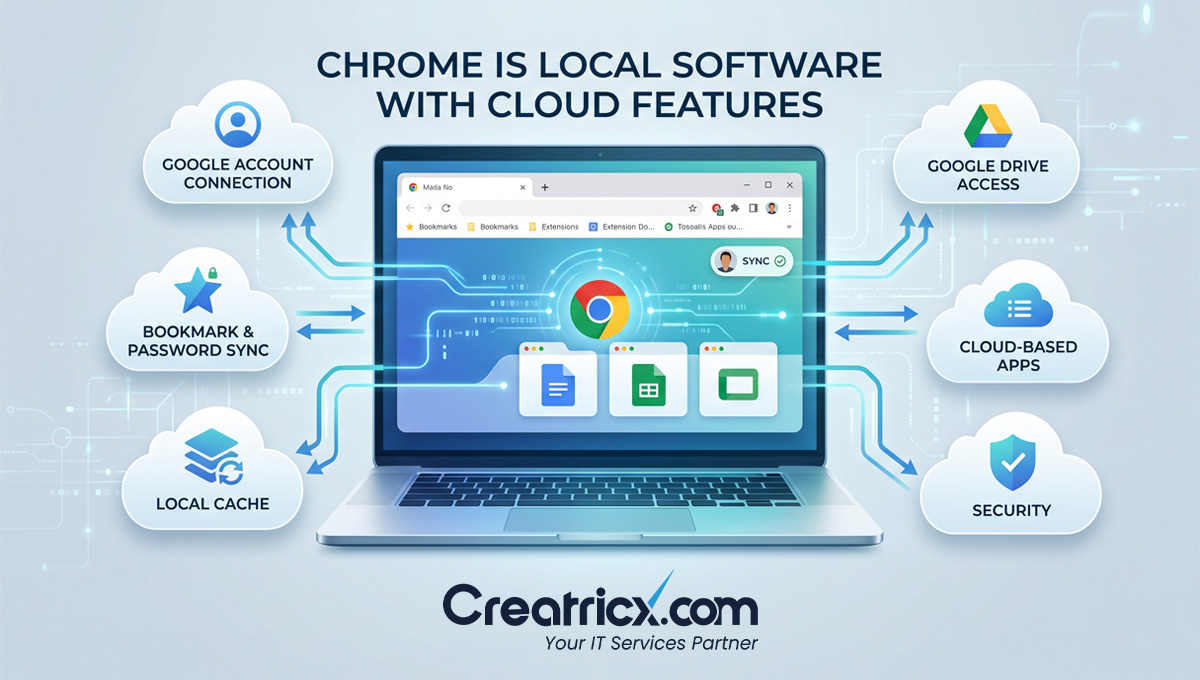
- Chrome Sync, which keeps bookmarks and passwords consistent across devices, is a cloud feature bolted onto local software, not proof that Chrome itself is a cloud service
- ChromeOS, the operating system on Chromebooks, leans far more heavily on the cloud than the Chrome browser does, which is a genuinely different product from Chrome itself
- Chrome Enterprise Core, a separate product for managing Chrome browsers across a company, is a real, fully cloud-based management console, distinct from Chrome the everyday browser
The Mix-up Makes Sense, Here's Where It Comes From
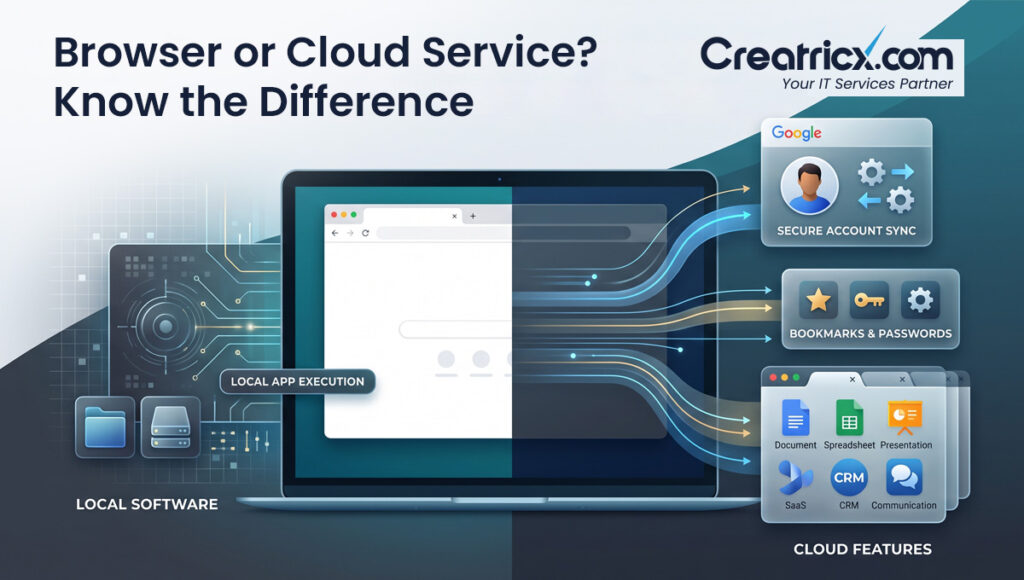
Chrome shows you the internet, sits behind a Google Account, and syncs your data everywhere you log in, so it feels cloud-like even though the actual software running your browsing session lives on your hard drive, not on a server somewhere. That instinct isn't wrong, exactly, it's just pointed at the wrong layer. The browser itself is local. What's cloud-based is everything Chrome connects to: your bookmarks synced through your Google Account, your saved passwords, your open tabs showing up on your phone. Chrome is the window; the cloud services are what you're looking at through it.
A quick test that settles this for almost anything: if you switched off your internet connection, would the core function still work? Chrome still opens, still shows previously loaded pages from cache, still runs as an application, because it's installed locally. A genuine cloud service, like Google Docs' live editing or Gmail's inbox, stops working the moment the connection drops, because the actual processing happens somewhere else entirely.
What Actually Makes Something A Cloud Service
A cloud service runs on infrastructure you don't own, accessed over a network, where the provider handles the processing, storage, and maintenance rather than your own device.
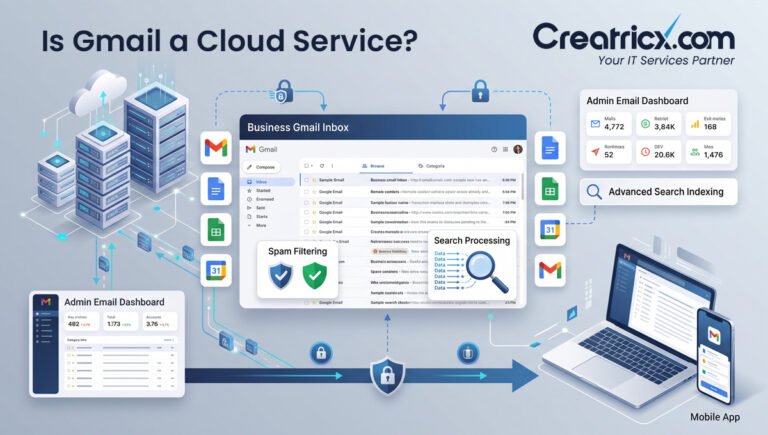
Gmail is a cloud service: your inbox lives on Google's servers, and your browser is just displaying it.
Google Drive is a cloud service: the files live remotely, and you're viewing a window into them.
Chrome doesn't meet that bar. It's downloaded, installed, and executed locally, using your device's own memory and processor to render pages and manage tabs.
The cloud only enters the picture for specific features layered on top, not for the browser's basic operation.
Don't confuse "requires an internet connection" with "is a cloud service." Plenty of local software needs the internet for updates, licence checks, or optional features, without qualifying as cloud-based. The real test is where the core processing happens, on your device or on someone else's servers, not if Wi-Fi is involved somewhere.
Where This Gets Genuinely More Complicated: ChromeOS And Chrome Enterprise
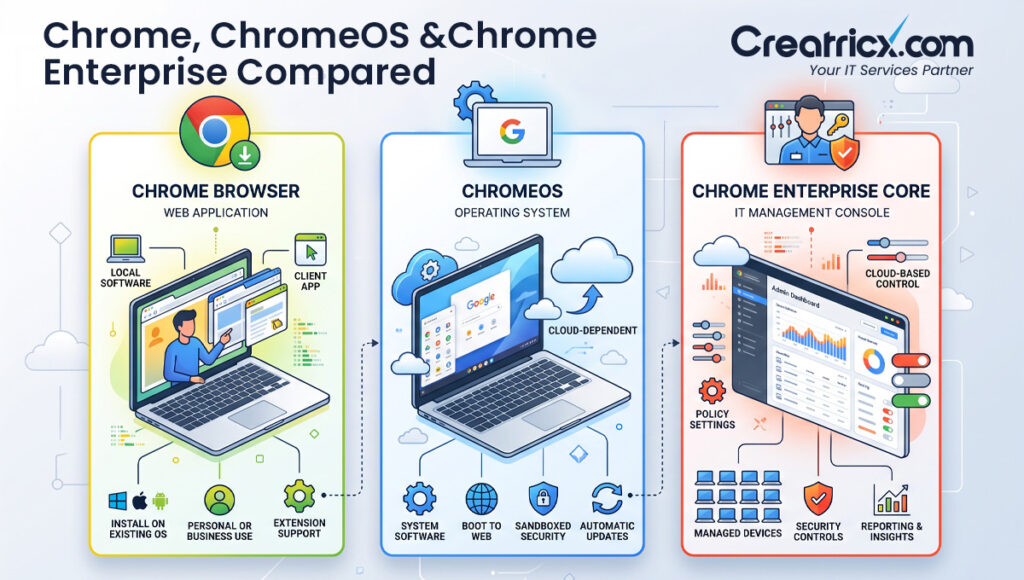
This is the part most explanations skip, and it's the part that actually matters if you're making a purchasing or infrastructure decision. Google sells more than one thing carrying the Chrome name, and they sit at meaningfully different points on the local-versus-cloud spectrum.
ChromeOS, the operating system that runs on Chromebooks, is built around the idea that most of what you do should live in the cloud rather than on the device itself. Chromebooks typically ship with modest local storage precisely because Google expects your files, documents, and apps to live in Drive and other cloud services, not on the machine. This is a genuinely different product from the Chrome browser you might install on a Windows laptop or Mac, and it sits much closer to being cloud-dependent by design.
Chrome Enterprise Core, meanwhile, is a real cloud-based service in the strict sense: it's a management console that lives on Google's servers, letting IT teams configure Chrome browser policies, monitor deployments, and enforce security settings across an entire organisation from a single dashboard, without installing anything locally to run the console itself. This one genuinely is a cloud service. It's just not the same thing as "Chrome," the everyday browser most people are asking about.
When someone says "Chrome," they usually mean the everyday browser, which isn't a cloud service. If a conversation is actually about ChromeOS or Chrome Enterprise Core, it's worth being specific about which one, since they behave quite differently when it comes to local versus cloud dependency.
Chrome, ChromeOS, And Chrome Enterprise Core, Side By Side
| Product | What It Actually Is | Local or Cloud-Based |
| Chrome Browser | Application installed on your device | Local software with cloud-connected features (sync, account) |
| ChromeOS | Operating system for Chromebooks | Cloud-dependent by design, minimal local storage |
| Chrome Enterprise Core | Browser management console for IT teams | Genuinely cloud-based, runs entirely on Google's servers |
| Google Drive, Gmail, Docs | Applications accessed through Chrome | True cloud services; data and processing live remotely |
A Simple Way To Check If Something Is Actually A Cloud Service
Step 1: Ask Where the Data Actually Lives
If your files, documents, or core data are stored on a remote server rather than your device's hard drive, that's a strong sign you're looking at a cloud service.
Step 2: Ask What Happens Offline
If the core function stops working entirely without an internet connection, because there's nothing left running locally, that points to cloud-based processing rather than local software with optional online features.
Step 3: Check Who's Doing the Processing
If the heavy lifting, rendering, calculations, storage, happens on someone else's infrastructure rather than your own device, you're dealing with a cloud service rather than an application that merely connects to one.
Step 4: Separate the Brand Name From the Product
Companies often sell several products under one familiar name. Confirm which specific product is actually being discussed before deciding if it's local software or a cloud service.
Getting this distinction right matters beyond trivia. Businesses deciding how to handle security, data storage, or device management need to know if they're securing local software, a cloud-connected feature, or a genuine cloud service, since each carries different risks and different responsibilities.
Why This Matters For Business Infrastructure Decisions
This isn't just a definitional curiosity. A business rolling out Chrome across its workforce is managing local software with cloud-connected sync features. A business moving staff onto Chromebooks is making a much bigger bet on cloud dependency, since local storage and offline capability are intentionally limited. And a business setting up Chrome Enterprise Core is deploying an actual cloud service to manage all of it centrally. Treating these as interchangeable, because they all say "Chrome," leads to real gaps in how a business plans for security, storage, and offline continuity.
Frequently Asked Questions
Is Google Chrome a cloud service?
No. Chrome is locally installed software that runs on your device, though it connects to cloud services like sync, bookmarks, and your Google Account.
Is ChromeOS a cloud service?
ChromeOS is an operating system, not a cloud service itself, but it's built to depend heavily on cloud storage and applications, far more than the Chrome browser does.
Is Chrome Enterprise Core a cloud service?
Yes. It's a management console that runs entirely on Google's servers, letting IT teams configure and monitor Chrome browsers across an organisation without local installation.
What's the simplest way to tell if something is a cloud service?
Check if the core function still works without an internet connection. If it stops working entirely, the processing is likely happening on remote servers rather than your device.
Does Chrome store my data locally or in the cloud?
Both. Some data, like cache and local settings, stays on your device, while bookmarks, passwords, and history sync to the cloud through your Google Account if you're signed in.
Why do people think Chrome is a cloud service?
Because it connects to genuinely cloud-based Google services like Gmail and Drive, and requires an internet connection for most of what people use it for, both of which feel cloud-like even though the browser itself is local software.
Are Chromebooks cloud computers?
Chromebooks run ChromeOS, which is designed around heavy cloud dependency and minimal local storage, so in practical terms, yes, they lean much closer to cloud computing than a typical laptop.
How does Creatricx help businesses figure out their actual cloud dependency?
Through a discovery process that maps which tools are local software, which are cloud-connected features, and which are genuine cloud services, before recommending any cloud infrastructure changes.
Disclaimer
This article reflects general product information about Google Chrome, ChromeOS, and Chrome Enterprise Core as of 2026, alongside Creatricx's published service model. Google's product names, features, and positioning change over time. Always confirm current product details directly with Google before making an infrastructure decision.
In Summary
Chrome itself isn't a cloud service, it's local software that happens to be the window most people use to reach actual cloud services every day. The confusion is understandable, since the browser is so tightly bolted to a Google Account and constant syncing that the line blurs in everyday use. But the distinction matters once you're making real decisions about security, storage, or infrastructure, and Google's own product family, Chrome, ChromeOS, and Chrome Enterprise Core, sits at three genuinely different points on that spectrum, not one.